A contractor has requested a gas detector purchase. One request says “multi-gas detector,” another says “five-gas instrument,” and the attached catalogs are different. Before comparing prices, start by putting the gases to measure, candidate models, shared documents and reply contacts on one sheet.
Purchasing discussions for equipment used at the same site move faster when everyone describes their requests in the same terms. Agree on the required items first, then record each contractor’s quantities and configuration separately. The questions you send to the supplier will become clearer too.

Turn “multi-gas” into a list of gases
On the first line of the request, write the actual gases you want to check rather than just a product category. Listing oxygen (O₂), carbon monoxide (CO), hydrogen sulfide (H₂S), combustible gas (LEL) and carbon dioxide (CO₂) makes it easy to see whether everyone means the same thing.
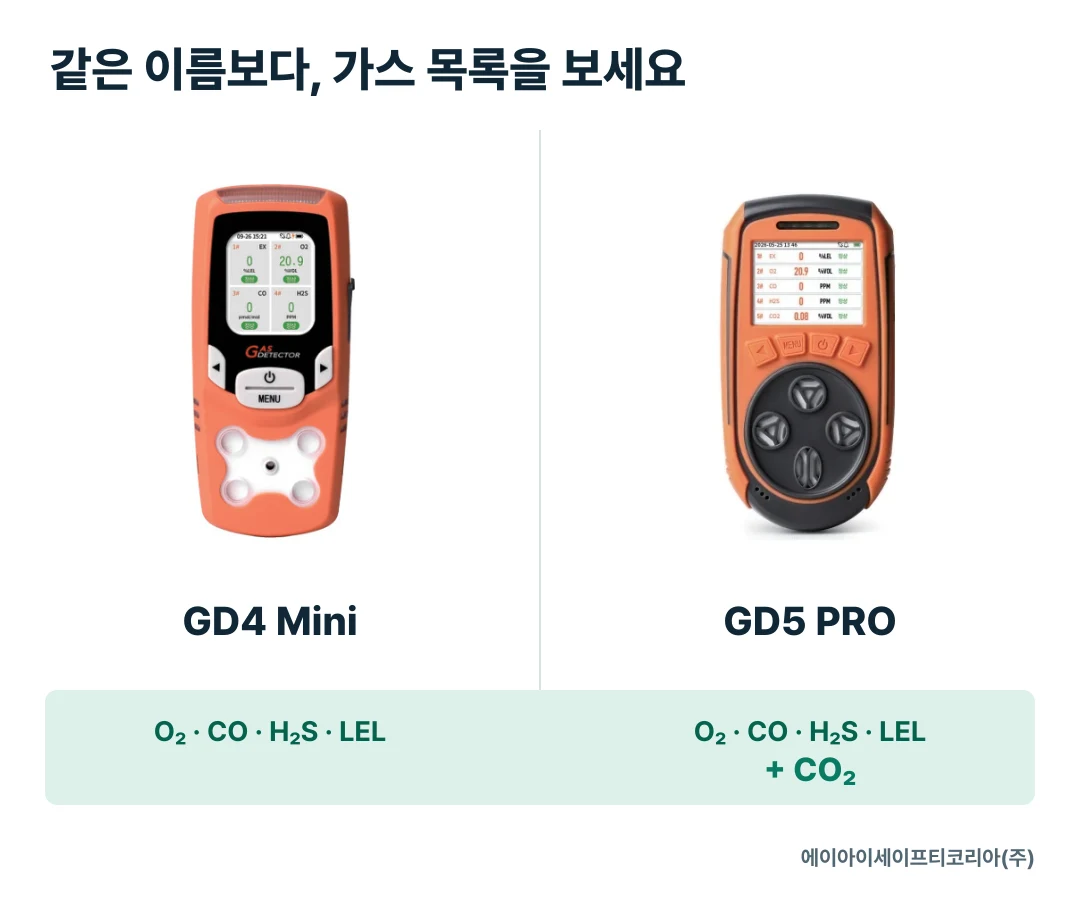
For example, GD4 Mini is a four-gas model measuring O₂, CO, H₂S and LEL, while GD5 PRO adds CO₂ to those four targets for five-gas measurement. If both products are candidates, note which tasks require CO₂ on the request. The difference to discuss becomes visible at a glance.
Add a short description of the work area and task beside the gas list. Rather than writing only “equipment inspection,” identify which equipment and which area will be involved. This helps site and purchasing staff picture the same situation. Use separate rows for areas that require different gas targets.

Put document names and dates next to each model
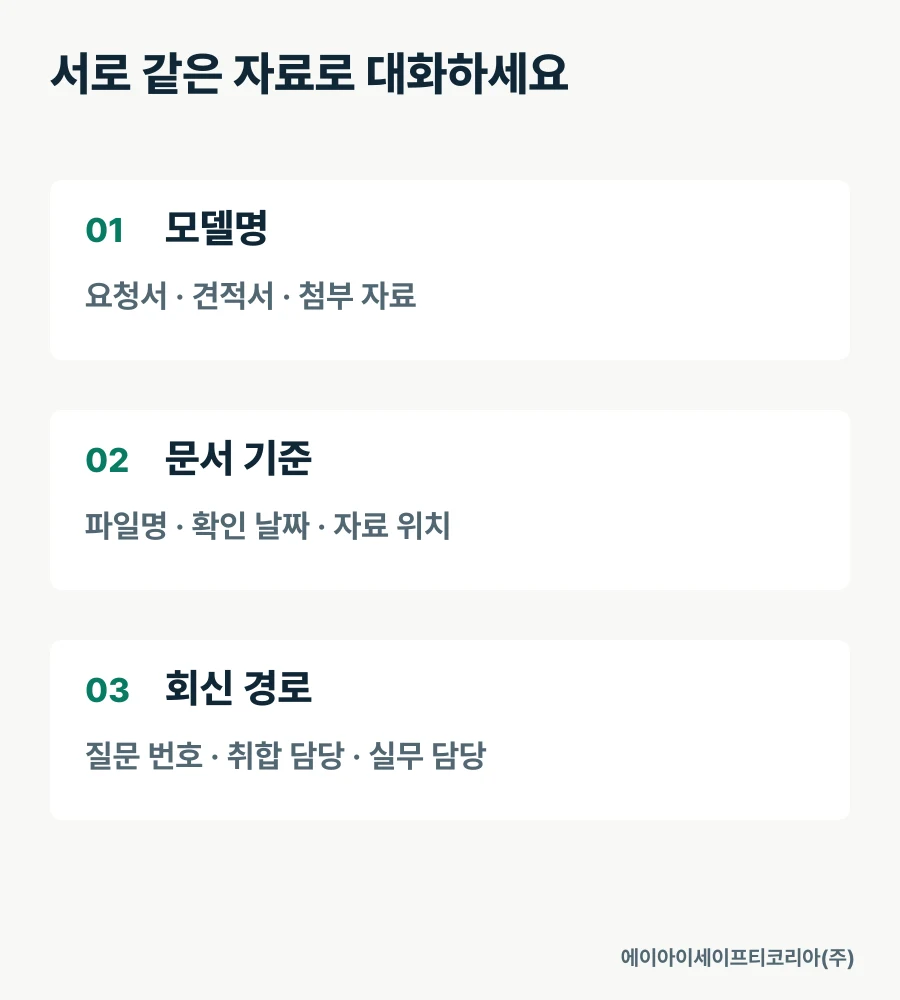
When people are looking at different files, they can describe different features even while discussing the same model. Include the catalog filename reviewed, the date checked and the product-detail link alongside the model name in the shared brief. When revised documents arrive, record which file replaces the previous one.
A catalog helps compare gas targets and key specifications, while a user manual helps the actual user check screen displays and operating instructions. Distinguishing these two document names when sharing them with contractors also helps recipients find what they need quickly.
Collect document locations in a shared list rather than repeatedly copying email attachments; this makes them easier to consult during meetings. If document names look similar, check the model designation inside the file as well. The aim is to place the model in the purchase request, the quotation and the attached documents side by side in one row.
Separate shared requirements from contractor-specific requests
Instead of combining every request into one long sentence, separate the items everyone needs to check from the items that vary by contractor. Put the gas list, candidate models and document locations under shared items. Record requested quantity, usage schedule and delivery location under each contractor’s items.
Category | What to record together | What it reveals when comparing |
|---|---|---|
Measurement purpose | Gas names, work area and task | Whether requests serve the same purpose |
Product reference | Model, catalog and check date | Whether the same documents were reviewed |
Supply configuration | Main unit, charging items, case and documents | What the quotation includes |
Contractor-specific request | Quantity required, usage schedule and delivery location | Differences between supply requests |
Reply contact | Coordination contact and technical-question contact | Who should receive the response |
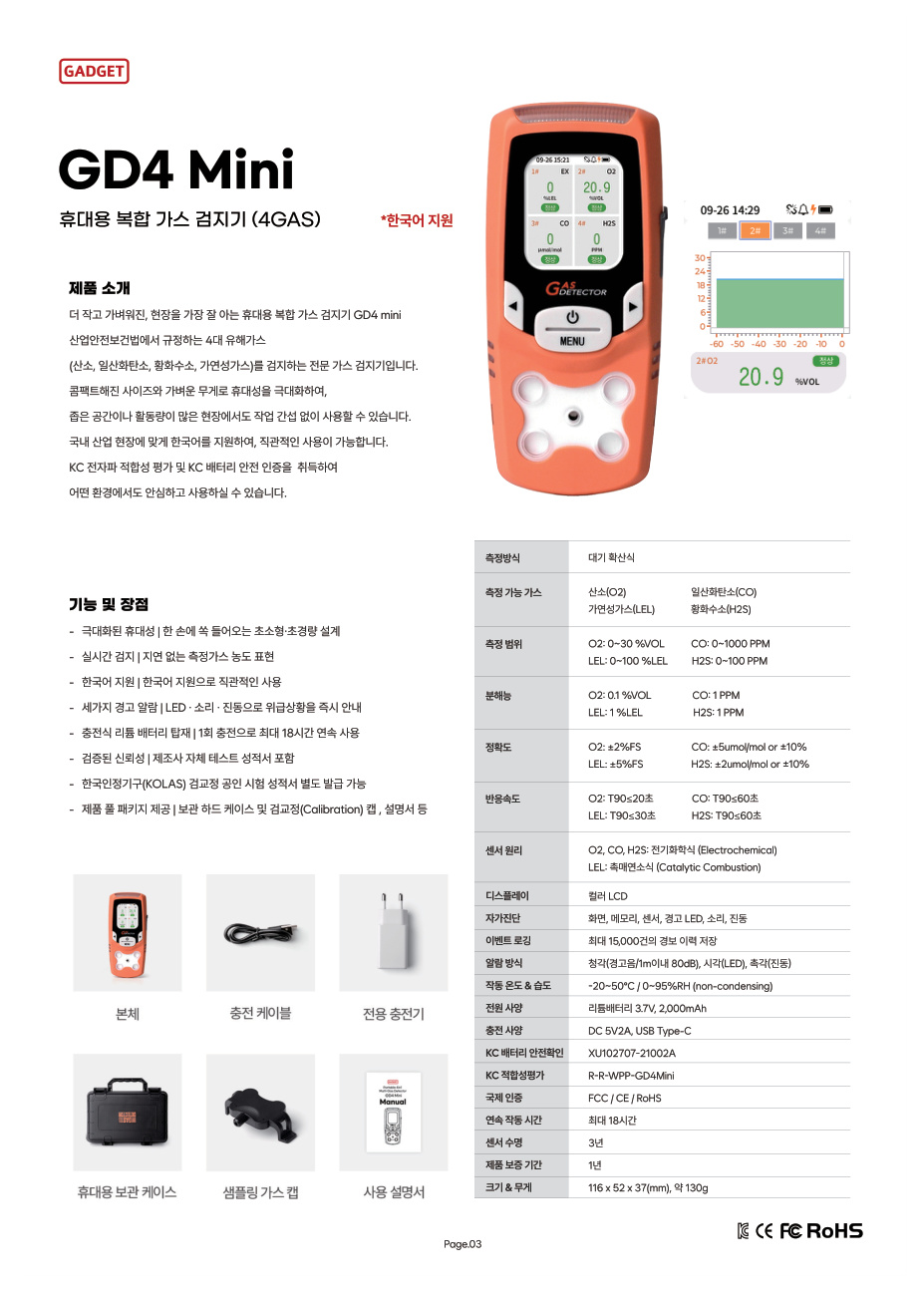
List components one item per line. The GD4 Mini and GD5 PRO catalogs introduce the main unit, charging cable, charger, portable storage case, sampling gas cap and user manual. When requesting a quotation, mark whether each item is included and how many are required on the request sheet.
This turns a short request such as “a complete set, please” into specific supply items. If you want to use accessories you already own, include their names and the main-unit model they will connect to when discussing the configuration.
Choose a contact for collecting technical questions
When contractors’ questions are spread across multiple emails, people have to find answers to the same questions again. Discussions become easier when the coordination contact collects purchase quantities and delivery information, while site staff organize questions about gas targets and configurations.
When sharing replies, add the relevant model and question number beside the answer. A specific subject such as “Confirm charging items in the GD5 PRO quotation,” rather than simply “Charger question,” makes it easier for the next person to continue the review. Keep questions about different models on separate rows.
The same table can also manage requests to revise a quotation. Mark changed quantities or components and add a revision date, so the contractor and supplier can align on which request their reply addresses.
Review this one sheet together before ordering
At the final meeting, look at the completed requirements sheet on the same screen rather than adding more documents. It is a chance to check the requested product and the configuration to be supplied together.
Are the gas names specified?
Are work areas and tasks separated by item?
Does the requested model match the model in the attached documents?
Are each contractor’s quantity and usage schedule recorded?
Are component inclusion and quantities marked?
Have contacts been designated to collect additional questions and share answers?
Reusing this table for the next purchase reduces the effort of asking about every requirement from scratch. Update the gas list, components and document locations that changed during this discussion, and use it as the starting point for the next request.

Start product consultation with your shared requirements brief
The first things to align in contractor purchasing discussions are the gases to measure, reference documents, supply items and response route. Bringing the requests together on one sheet lets you discuss product selection and configuration in more specific terms.
Tell AI Safety Korea Co., Ltd. your gas list, candidate models, requested quantities by contractor and configuration details. We will review the items you need using product documents for GD4 Mini, GD5 PRO and other models.
Discuss gas detector purchasing and configuration